Top 5 Expense Tracker Apps for Small Businesses in 2025
Expense tracker apps for small businesses have advanced significantly in 2026, with AI now automating receipt capture and policy enforcement at scale. The right platform saves time on manual processing while giving finance teams real-time visibility into every business purchase. This guide reviews the top five options to help you choose the best solution for your organization.
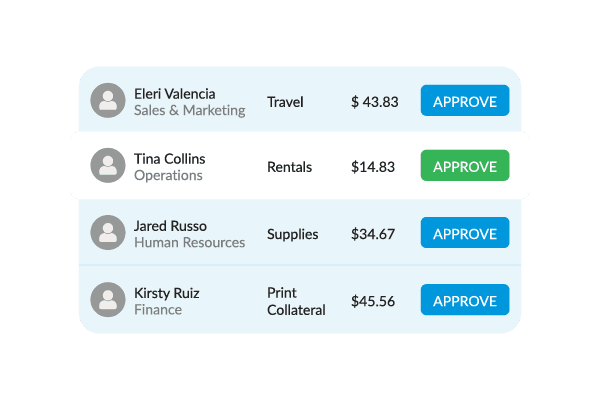
What is expense tracking?
Expense tracking is the process of recording, categorizing, and managing business spending to maintain accurate financial records. Modern expense tracking software goes well beyond simple receipt capture. Platforms now connect directly to accounting systems, corporate cards, and AI-powered approval workflows to give finance teams real-time control over every dollar spent.
Key components of effective expense tracking include:
- Receipt capture and storage: Digital copies of purchases are created automatically, with AI-powered OCR extracting vendor names, amounts, and dates without manual entry.
- Expense categorization: Spending is sorted into tax-deductible categories and departmental buckets aligned with IRS requirements.
- Real-time reporting: Current spending patterns, budget usage, and cash flow data update throughout the business day.
- Policy enforcement: Automated spending rules alert employees and managers before violations occur, reducing out-of-policy submissions at the source.
- Accounting integrations: Direct connections to platforms such as QuickBooks, Xero, NetSuite, and Sage Intacct eliminate duplicate data entry across systems.
- Audit-ready documentation: Detailed records support tax deductions and reduce preparation time when audits arise.
Small businesses that build these capabilities into their financial operations gain better visibility, fewer compliance gaps, and faster reimbursement cycles for employees.
What business expenses do small businesses need to track?
Small business expense tracking ensures maximum tax benefits while giving you full visibility into your finances. Every small business owner should focus on these core categories:
- Office supplies and equipment: Computers, desk furniture, software licenses, and basic office materials that support daily operations.
- Business travel: Mileage, client meeting costs, hotel stays, and meals incurred while traveling for work-related purposes.
- Professional services: Accountant fees, attorney costs, consulting engagements, and freelancer payments.
- Software and subscriptions: Monthly or annual tools that keep your business running, from project management platforms to communication tools.
- Marketing and advertising: Website costs, business cards, paid advertising, and promotional materials.
- Employee costs: Training programs, team meals, and reimbursements for business-related out-of-pocket spending.
Proper categorization of these expenses supports accurate financial reporting and maximizes available tax deductions throughout the year.
Top 3 benefits of expense tracking for small businesses
Modern expense management solutions offer advantages that directly impact profitability, compliance, and operational efficiency. Small businesses that track expenses properly gain better spending control, less administrative burden, and clearer data for business decisions.
Better money control and cash flow visibility
Real-time expense tracking reveals exactly what your business spends each month, helping you identify problems such as duplicate subscriptions or unexpected vendor price increases before they compound. Clear spending rules help prevent budget overruns and keep every team member aligned on purchasing expectations.
Key benefits of improved financial visibility include:
- Better planning: Visibility into recurring monthly costs and upcoming significant expenses supports accurate cash flow forecasting.
- Vendor comparison: Spending data highlights bulk purchasing opportunities and better contract terms with suppliers.
- Project-level tracking: Cost allocation by team or project reveals which areas of the business are most and least profitable.
- Spending alerts: Automated notifications warn employees and managers before budget thresholds are exceeded.
These controls provide the financial clarity needed for confident business planning and informed decision-making at every level of the organization.
Better tax deduction tracking and compliance
Organized expense records help maximize tax deductions while maintaining compliance with IRS requirements throughout the year. Digital expense policy automation maintains audit-ready documentation automatically, making year-end tax preparation significantly more efficient for finance teams.
Key compliance advantages include:
- IRS-compliant documentation: Deductible expenses are captured with proper supporting evidence, reducing the risk of disallowed deductions.
- Automatic expense sorting: Intelligent categorization supports accurate tax classification and surfaces potential deductions that manual processes often miss.
- Year-end summaries: Complete expense reports generate automatically for tax preparation without requiring manual data assembly.
- Comprehensive record-keeping: Detailed documentation supports business expense claims and provides a clear audit trail when needed.
These compliance features protect your business while helping optimize tax benefits and reduce professional preparation costs each year. Consistent small business expense tracking is the foundation that makes these compliance advantages sustainable over time.
Less paperwork and faster processing
Automated expense management reduces the time-consuming manual work that drains productivity across finance and operations teams. Expense reimbursements process faster when approval workflows are digital and policy checks run automatically at the point of submission.
Key operational improvements include:
- Automatic data entry: AI-powered receipt scanning eliminates manual processing and reduces errors caused by human input.
- Faster approval workflows: Digital routing speeds up reimbursements while maintaining proper spending controls at each stage.
- Real-time financial reports: Current spending data enables faster business decisions without waiting for month-end reconciliation.
- Better employee experience: Simplified submission processes and quicker reimbursements improve satisfaction and compliance rates.
These efficiency gains create cost savings that compound over time, delivering increasing value as your business scales.
Best Expense Trackers for Small Businesses in 2025
Selecting the right expense tracking app requires careful evaluation of your specific business needs, current technology stack, and growth plans. The following solutions represent the most effective platforms for business expense management in 2026.
| Platform | Best For | Starting Price | Key Strength |
|---|---|---|---|
| Emburse | Growing small businesses | Pay per active user | Easy to use and scalable—ideal for small businesses that need an expense tracker that grows with them. |
| Expensify | Very basic needs | $5/month per user | Simple setup and quick onboarding for teams with straightforward expense tracking requirements. |
| SAP Concur | Large companies | Enterprise pricing | Comprehensive expense management for global organizations with complex approval workflows. |
| Brex | Venture-backed startups | Tied to Brex credit card | Integrated card and expense management—perfect for startups leveraging corporate cards. |
| Workday | Existing HR platform users | Part of full platform | All-in-one HR and finance system with built-in expense tracking for enterprise users. |
Each of these expense tracking solutions offers distinct advantages depending on your company size and operational needs. Emburse stands out as the most flexible and intuitive option for growing small businesses seeking a modern, scalable expense management solution.
Each of these expense tracking solutions offers distinct advantages depending on your company size and operational needs. Emburse stands out as the most flexible and intuitive option for growing small businesses seeking a modern, scalable expense management solution.
Emburse
Best For
Small to midsize businesses seeking control and a comprehensive foundation for expense management.
Starting Price
Active user pricing model (pay only for users who submit expenses)
Emburse offers two solutions for small businesses: Emburse Spend for smaller companies and Emburse Professional for growing mid-market businesses. Both provide AI-powered expense management designed for ease of use without sacrificing functionality. In 2026, Emburse has expanded its AI capabilities to include intelligent receipt transcription, duplicate detection, and real-time expense intelligence that flags anomalies before reports are submitted.
Key features that distinguish Emburse from other expense tracking solutions:
- Pay only for active users: Pricing based on employees who actually submit expenses, rather than charging for everyone in your system.
- Flexible workflow system: Smart logic for spending rules and approvals operates at the individual expense level, not just the report level.
- AI-powered receipt capture: Emburse AI automatically extracts vendor names, amounts, dates, and categories from uploaded receipts.
- Real-time analytics: Business-friendly reporting updates throughout the day, giving finance teams current visibility without waiting for batch processing.
- Existing card compatibility: Works with your current bank accounts and corporate cards while offering native card options if you want them.
- Mobile approvals: Managers can approve or reject expenses directly from email or the Emburse mobile app from any location.
These features combine to create a comprehensive expense management solution that scales with business growth and adapts to changing operational requirements.
Expensify
Best For
Businesses with straightforward expense tracking needs and limited complexity
Starting Price
$5 per user per month (with card usage required for reasonable pricing)
Expensify provides a simplified approach to expense management, featuring quick setup and straightforward submission processes. The platform works well for organizations getting started with digital expense management and teams with minimal customization requirements.
The platform's design prioritizes simplicity, which creates some limitations for businesses with more complex requirements:
- Basic functionality focus: The platform serves small businesses with straightforward expense needs but may not scale to match growing complexity.
- Chatbot-based customer support: Self-service help is the primary support channel, rather than dedicated account management for ongoing needs.
- Limited integrations: Essential accounting software connections are available, but the integration ecosystem is narrower than enterprise-grade alternatives.
- Receipt scanning variability: Automated scanning handles standard receipt formats with performance that varies by receipt quality and format.
These characteristics make Expensify suitable for small businesses that prioritize simplicity over advanced customization and complex workflows.
SAP Concur
Best For
Large enterprises with complex global requirements and existing SAP infrastructure
Starting Price
Per-report pricing model with enterprise implementation costs
SAP Concur maintains a strong presence in the enterprise expense management market, offering comprehensive features for large organizations. The platform provides deep integration with SAP's broader enterprise software ecosystem and supports complex, multi-country approval hierarchies.
The platform's enterprise focus creates specific characteristics that may not align with small business needs:
- Enterprise-scale design built for large organizations with complex structures and global operations
- Per-report pricing that charges based on expense report volume rather than active users
- Comprehensive feature set that includes extensive functionality that may exceed small business requirements
- Complex implementation that typically involves longer setup timelines and dedicated configuration resources
These characteristics position Concur as a solution primarily suited for large enterprises rather than small to midsize businesses.
Brex
Best For
Early-stage startups and venture-backed companies seeking integrated card and expense management
Starting Price
Tied to credit card program usage
Brex offers an integrated approach combining corporate cards with expense management designed specifically for startups and scaling companies. The platform is well-suited for businesses that want to consolidate payment and expense tracking through a single provider.
The platform's integrated model includes specific characteristics worth evaluating:
- Card dependency: Access to expense management functionality requires using the Brex credit card, which limits flexibility for existing cardholders.
- Charge card structure: Full monthly balance payment is required rather than a traditional revolving credit model.
- Dynamic credit limits: Available credit adjusts based on connected bank account balances rather than fixed credit lines.
- Uniform policy application: Approval workflows apply organization-wide rather than at the individual team or project level.
These characteristics make Brex well-suited for venture-backed startups while potentially limiting its fit for established businesses outside this specific segment.
Workday
Best For
Large organizations already using Workday for HR and finance operations
Starting Price
Part of the broader Workday platform subscription
Workday offers expense management as a component of its comprehensive human capital management and financial software platform. The solution delivers integrated functionality for organizations seeking to consolidate HR, payroll, and expense management within a single system.
The platform's comprehensive approach includes specific characteristics:
- Platform integration model: Expense management operates as one component of broader HR and finance functionality rather than as a standalone solution.
- Enterprise deployment model: Implementation typically involves comprehensive platform setup rather than targeted expense tracking configuration.
- Unified back-office approach: Consolidating HR, finance, and expense data in one system benefits organizations that prioritize system consolidation over best-in-class specialty tools.
- Existing customer focus: Primary value is delivered to organizations already using Workday for payroll, HR, or financial management functions.
These characteristics position Workday's expense functionality as most suitable for small businesses committed to full platform consolidation rather than specialized expense management.
Top three expense tracker essentials for small businesses
Small businesses need expense tracking solutions that balance functionality and simplicity without overwhelming complexity or excessive costs. The right software should adapt to changing business needs as you grow, without requiring a complete system replacement.
Smart Data Entry With AI-Powered Automation
Modern receipt capture technology reads and categorizes receipts automatically in 2026, with AI accuracy that has improved substantially compared to earlier systems. Intelligent categorization sorts expenses by type and applies appropriate categories without employee input, while automated policy checks run at the point of submission rather than after the fact.
Key automated features that provide maximum time savings include:
- AI receipt scanning: Automatically extracts vendor names, amounts, dates, and expense categories from photos taken on a mobile device.
- Automatic mileage calculation: GPS tracking logs business travel accurately without requiring employees to estimate distances manually.
- Learning categorization rules: Systems improve over time by recognizing recurring vendors and applying consistent classifications based on historical data.
- Bulk processing: Multiple receipts can be handled simultaneously for high-volume expense periods such as business travel or quarterly close.
These automation features scale with business growth, delivering consistent time savings and improving accuracy as transaction volumes increase.
Easy Connections: Works With Your Existing Systems
Direct accounting integrations with platforms such as QuickBooks, Xero, NetSuite, and Sage Intacct eliminate duplicate data entry and ensure accurate financial reporting. Real-time synchronization keeps expense data current across systems, supporting better cash flow management and faster month-end close.
Essential integration features that streamline business operations include:
- Accounting software connectivity: Approved expenses post directly to your general ledger categories without manual journal entries or CSV uploads.
- Business tool compatibility: Connections to HR, payroll, and project management platforms reduce administrative overhead across departments.
- Bank and card feeds: Automatic transaction imports match credit card activity with submitted receipts for faster reconciliation.
- Payroll integration: Reimbursement processing connects directly to payroll systems, reducing the time between approval and employee payment.
These integration capabilities reduce manual work and improve financial data accuracy across your entire business technology stack.
Mobile Access for Expense Management on the Go
The Emburse mobile app gives employees the ability to capture receipts, submit expenses, and check reimbursement status from any location. Offline functionality ensures that expenses incurred in areas with limited connectivity are captured immediately and synced when a connection is restored.
Critical mobile features that support modern business operations include:
- Offline receipt capture: Expenses recorded without internet access sync automatically when the device reconnects, preventing lost documentation.
- Push notifications: Managers receive immediate alerts for pending approvals and spending rule violations without logging into a desktop system.
- GPS mileage tracking: Business travel is logged automatically with accurate distance calculations, removing the need for paper logs or manual estimates.
- Full mobile functionality: The complete submission, approval, and reporting experience is available on mobile devices, not just a limited subset of desktop features.
These mobile capabilities ensure expense management remains efficient and accessible regardless of where your team is working.
How to track your expenses as a small business
Setting up small business expense tracking does not have to be complicated. The following steps provide a framework for building comprehensive expense management capabilities that are sustainable over the long term.
1. Choose a tracking method
Select a method that integrates seamlessly with your existing accounting software and fits your current team size. Consider your growth plans when evaluating platforms, since switching systems later creates unnecessary disruption and data migration costs.
The following approaches offer distinct advantages for different business sizes:
- Digital expense tracking apps that provide automated receipt capture and real-time data sync
- Cloud-based software that offers mobile access and team collaboration features
- Integrated accounting platforms that combine expense management with broader financial oversight
- Manual spreadsheet systems that work for very small operations but lack automation benefits
Evaluate each option based on your specific requirements, technical capabilities, and the volume of expense transactions your team generates each month.
2. Record expenses regularly
Consistent documentation prevents missed deductions and ensures accurate financial reporting throughout the year. Establishing clear processes for all employees to follow reduces the administrative burden on finance teams during close periods.
Key practices for comprehensive expense capture include:
- Real-time receipt capture using mobile apps for immediate documentation and reduced risk of lost receipts
- Automatic categorization rules that sort expenses by type and department for consistent classification
- Recurring expense entries for subscription services and regular business costs to ensure complete tracking
- Approval workflows that route expenses through appropriate management channels for proper oversight
These practices create reliable expense tracking habits that scale with business growth and maintain compliance as your team expands.
3. Set spending limits
Real-time expense policy enforcement prevents budget overruns before they occur rather than catching them during review. Clear spending rules enable employees to make informed purchasing decisions without requiring manager approval for every transaction.
Key control mechanisms that maintain budget discipline include:
- Category-specific budget limits that alert users before violations occur and prevent unauthorized spending
- Approval thresholds that require management review for larger expenditures based on amount or expense type
- Team-level spending controls that track budget usage in real-time across business units
- Automated alerts and notifications that inform managers when employees approach spending limits or rule violations
These controls provide financial protection while maintaining the operational flexibility your team needs to work efficiently.
4. Consult an accounting professional
Professional guidance helps establish tracking processes aligned with tax requirements and supports more effective categorization strategies. Accountants can identify deduction opportunities that automated systems may not recognize, particularly for industry-specific expenses or less common business categories.
Key areas that benefit from professional expertise include:
- Expense category setup that aligns with tax requirements and business needs for optimal deduction strategies
- Documentation standards that meet IRS requirements for deduction claims and audit protection
- Record-keeping setup that maintains detailed records for compliance and reporting purposes
- Chart of accounts optimization that supports accurate financial reporting and tax preparation efficiency
Professional guidance ensures your expense tracking system remains compliant and optimized for maximum business benefit as tax regulations evolve.
Transform your expense management with Emburse
Choosing the right expense tracker for your small business means prioritizing transparent pricing, ease of use, and a platform that grows alongside your organization. Emburse has spent over a decade building expense management solutions specifically designed for small to midsize businesses, with AI-powered automation.
Contact Emburse today to request your free consultation and discover how our expense tracking technology can simplify your operations in 2026.
FAQs
Use a mobile app that captures receipt photos and sorts them automatically. Establish clear spending guidelines for your team and review expense reports monthly to catch anomalies before they become larger issues.
Some basic apps offer free tiers, but they typically lack the features and support needed for serious business use. Investing in a quality solution delivers better time savings, improved accuracy, and more useful financial insights that support growth.
Expensify offers a limited free plan, but its pricing model becomes more expensive as businesses grow. Many companies find that the platform's limitations require them to seek more robust alternatives as their expense tracking needs evolve beyond basic functionality.
Excel can handle very basic expense tracking, but manual spreadsheet management lacks the automation, integration, and compliance features needed for efficient business expense management. Modern expense tracking apps offer significantly better accuracy, efficiency, and financial insight.
The best option depends on your business size, complexity, and growth plans. Look for platforms that offer automated receipt scanning, real-time analytics, transparent per-user pricing, and seamless accounting software integration. Emburse Spend is designed specifically for growing small businesses that need these capabilities without enterprise-level complexity.
Effective business expense tracking requires automated software that captures receipts, categorizes expenses, and integrates with accounting systems. Modern platforms streamline this process through mobile receipt capture, intelligent categorization, and real-time reporting capabilities.
Expense tracking software is a digital platform that automates the process of recording, categorizing, and managing business expenses. These applications streamline financial management through integrated workflows and automation capabilities. Modern expense tracking software typically includes:
- Receipt scanning that captures and digitizes physical receipts with automatic data extraction
- Expense categorization that sorts expenses according to business and tax requirements
- Approval workflows that route expenses through customizable management review processes
- Spending rule enforcement that ensures compliance with company spending guidelines and limits
- Accounting software integration that syncs expense data with financial systems automatically
- Reporting and analytics that provide insights into spending patterns and budget performance
- Mobile applications that enable expense capture and management from any location
These integrated capabilities create comprehensive expense management solutions that scale with business growth.
Small businesses should track all deductible expenses to maximize tax benefits and maintain accurate financial records. Comprehensive tracking ensures complete financial visibility and supports proper tax preparation. Understanding [mileage tracking for businesses] helps capture one of the most commonly missed deductions. Track these expense categories:
- Office supplies and equipment, including computers, furniture, software, and office materials
- Travel and transportation covering business trips, mileage, lodging, and meal expenses
- Professional services such as legal fees, accounting costs, consulting, and contractor payments
- Marketing and advertising, including website costs, promotional materials, and advertising campaigns
- Utilities and communications covering internet, phone, and business facility costs
- Training and development, including employee education, conferences, and skill development programs
Proper expense categorization ensures maximum tax deductions and accurate financial reporting.
Yes, the IRS requires receipts as proof of purchase for business expense deductions. Digital receipt storage via expense-tracking apps ensures IRS-compliant documentation while simplifying audit preparation and tax filing. Learn more about expense reporting best practices to maintain proper documentation.
Business expense trackers automate the expense management process through integrated technology and workflow systems. The process typically follows this sequence: receipt capture using smart scanning, automatic data extraction pulling vendor names and amounts, expense categorization through intelligent rules, approval routing through customizable workflows, accounting integration syncing approved expenses, and reimbursement processing that maintains detailed payment records. These integrated capabilities reduce manual work and improve accuracy across the full expense lifecycle.