Emburse vs SAP Concur
Why should one expense hold up an entire report?
SAP Concur's documented approval workflows can send a report back when an individual expense needs correction.
Emburse can route expenses individually, so valid transactions keep moving while Finance handles the exceptions.
Manage expense rules, approvals, and accounting requirements with workflows built for the way your organization operates.
Three reasons to reconsider Concur
Don’t let exceptions slow spend.
Route expenses individually, adjust policy rules, and catch issues before submission. Keep valid expenses moving while Finance handles exceptions.
Keep your cards. Add more control.
Connect supported Amex, Visa, and Mastercard programs. Or issue Emburse Cards and eligible Amex virtual cards with built-in spending controls.
Keep saving after you've booked.
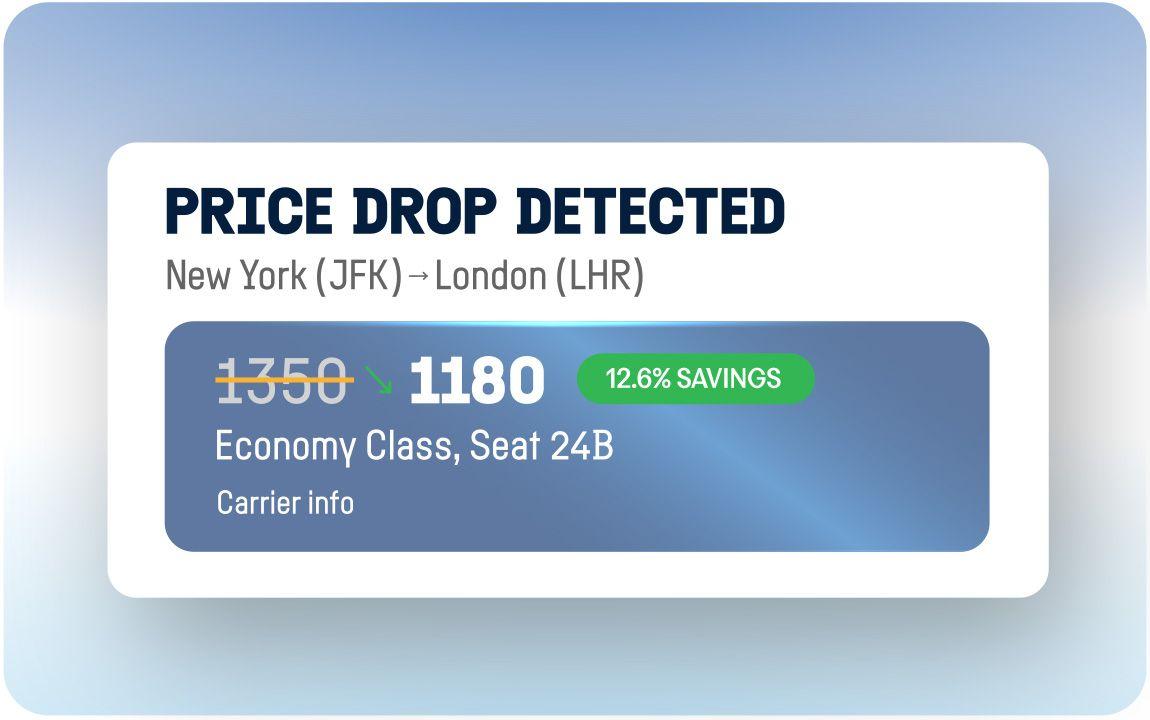
Reshop air and hotel rates, audit negotiated supplier agreements, and benchmark travel costs against peers while keeping your supported TMC partners.
Side-by-Side Comparison
*Emburse capabilities and availability vary by solution, card issuer, geography, and configuration. Certain features are available through Emburse Spend, Emburse Professional, Emburse Enterprise, or additional services such as Emburse Travel Analytics. Confirm availability for your organization.
Competitive product information is based on publicly available sources as of November 2026. Availability and capabilities may vary by plan, geography, and configuration.
Capability | Emburse | Concur |
|---|---|---|
| T&E policy & workflow flexibility | Adjust conditional expense rules and approval workflows through supported admin tools, with controlled changes from testing to production. | Configurable expense policies and workflows; configuration may involve SAP Concur implementation consulting. |
| Line-level routing & approvals | Route individual expenses by cost center, project, entity, amount, or expense type. Keep valid lines moving while exceptions are reviewed.* | Can return selected expenses while remaining lines proceed; itemized child entries must be returned with their parent expense. |
| Policy enforcement before submission | Emburse Assurance flags receipt errors, missing details, and policy risks, with pre-submission guidance in supported workflows.* | Automated expense checks; Verify, Intelligent Audit, and Detect add audit capabilities. |
| Spend requests & pre-approval | Request approval for eligible travel and expenses before booking or purchase through supported workflows.* | Concur Request, an add-on solution, handles pre-spend approvals. |
| Native + third-party card programs | Keep supported Amex, Visa, and Mastercard programs while adding Emburse Cards or eligible Amex virtual cards with spending controls.* | Supports external corporate-card feeds and reconciliation, with card issuance options depending on program. |
| Proactive controls for card transactions | Set transaction limits, merchant restrictions, spending periods, and expiration rules on eligible Emburse Cards and Amex virtual cards. | Authorization controls depend on the issuer and card program. |
| Hotel & airfare reshopping | Monitor booked rates and rebook eligible reservations when prices fall, subject to savings thresholds and travel rules.* | Travel booking and rate reporting; optimization depends on travel partners. |
| Global per diem configuration & management | Apply country, location, and project-specific rates, including supported GSA schedules, German rules, and custom allowances.* | Country-specific allowance rates and configuration through global templates and supported rules. |
| Hotel & car rental folio itemization | Emburse Folio extracts hotel and car-rental charges line by line from eligible PDFs and images.* | Receipt processing and hotel itemization; car-rental workflows vary by configuration. |
| VAT & local tax compliance | Capture VAT details and apply supported jurisdiction-specific tax rules, including GST, PST, HST, and fringe benefit tax.* | Global tax templates, country guidance, and configurable VAT audit rules. |
| ERP & accounting flexibility | Connect expense and allocation data to supported ERP systems, with configurable accounting workflows and integration monitoring.* | SAP and accounting integrations; configuration varies by integration path. |
| Reporting & analytics | Configure dashboards, scheduled reports, and stakeholder-specific distribution through supported analytics solutions.* | Cognos-based reporting has a one-day data delay; tailoring reports and dashboards requires designated author roles. |
Which platform fits your business?

Choose Emburse when you need to…
- Keep valid expenses moving with independent line-level routing and configurable approval rules.
- Keep your existing cards while adding Emburse Cards or eligible Amex virtual cards.
- Find savings after booking with air and hotel reshopping, supplier audits, and travel benchmarking.
- Manage local expense rules with per diem by location or project, plus VAT and tax requirements.
- Give Finance more control over policy changes, exceptions, and stakeholder reporting.

SAP Concur may still fit if you want to…
- Keep an established SAP-centered ERP integration.
- Use published country templates for global expenses.
- Combine travel booking, TripLink, and duty-of-care capabilities.
- Retain a working configuration when migration costs outweigh the benefits.
Keep your expense program moving, even when exceptions arise.
See how Emburse helps finance teams manage approvals, policy changes, and expense exceptions without unnecessary delays.
Frequently asked questions
Emburse offers configurable expense policies, approval routing, and exception handling, with independent line-level approvals in supported solutions. Finance teams can review individual expense issues without necessarily delaying unrelated transactions.
SAP Concur also supports configurable policies and approvals, although some setup and specialized rules involve additional administration or support. On G2, Emburse Expense Professional and Enterprise have higher reported ease-of-administration scores than SAP Concur.
Emburse supports independent line-level approval routing, allowing valid expenses to continue through the workflow while flagged items receive attention. Finance can also configure rules that keep a report together when required.
SAP Concur supports line-level comments and report-based approval workflows. Some documented configurations return the entire report for correction.
The difference depends on the products and workflows configured, so buyers should test the same exception scenario in both systems.
Yes. Emburse offers ERP and accounting integrations, including supported SAP connections and options for Oracle, Workday, NetSuite, Sage Intacct, and QuickBooks. Integration availability and accounting workflows vary by Emburse solution.
SAP Concur offers established SAP integration capabilities, including financial-posting status controls in supported configurations. Companies should compare ERP version compatibility, allocation requirements, failed-posting handling, and implementation dependencies before switching.
Yes. Applicable Emburse solutions support jurisdiction-specific expense requirements, including VAT, GST, PST, HST, fringe benefit tax, and location-based per diem calculations. Supported configurations include German per diem rules, US GSA rates, and custom allowances.
SAP Concur also provides global expense templates, tax configuration, and country-specific allowance rules. The best fit depends on the countries involved and the precise policy, accounting, and reimbursement requirements.
Switching depends on the number of employees, entities, expense policies, card programs, and accounting integrations involved.
A migration may require rebuilding approval workflows, mapping accounting data, configuring card feeds, training employees, and preserving historical expense records. Emburse implementation requirements vary by solution and organizational complexity.
Before switching, confirm which records can be migrated, which must be archived, and how existing expense and ERP workflows will operate during the transition.