AI-Powered Receipt Capture
Leave the paper receipt behind
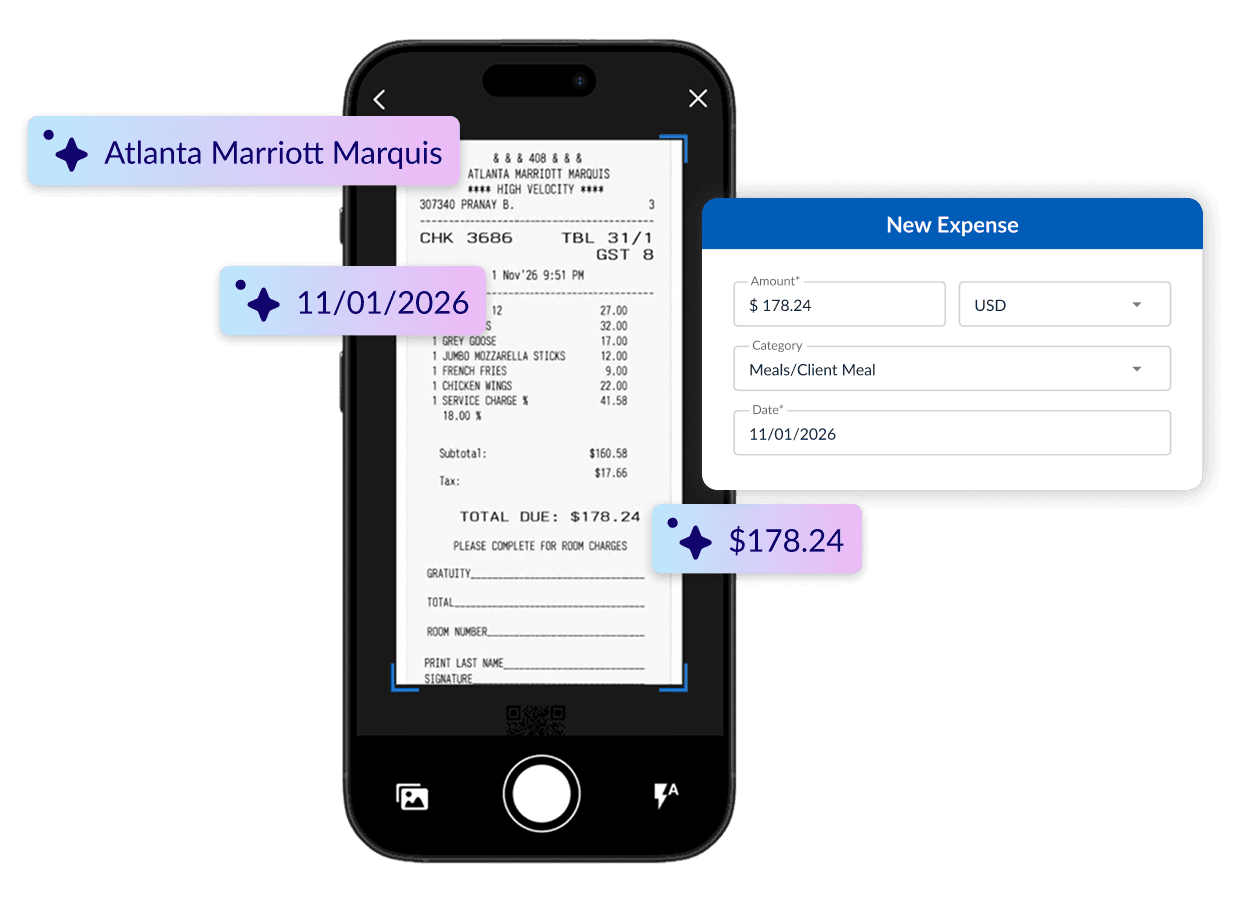
Snap a photo or forward a digital receipt. Emburse AI extracts key details, matches receipts to the right card transactions, and reminds employees when documentation is missing.
Capture receipts from anywhere
Mobile App
Capture paper receipts from an iOS or Android device.
File Upload
Upload receipt images, screenshots, JPGs, PNGs, and PDFs.
Email Forwarding
Forward receipts from airlines, app stores, online vendors, and other services.

Stop chasing missing receipts
Prompt employees to submit receipts after making corporate card purchases and send reminders when documentation is still missing.
Let Emburse AI handle the details
Emburse AI extracts key information such as the merchant, date, and amount. Employees simply review the details and add any required business context, reducing manual data entry.
Match receipts to transactions automatically
Emburse AI matches receipts to the right corporate card transactions, so finance sees which expenses are documented and which still need attention.
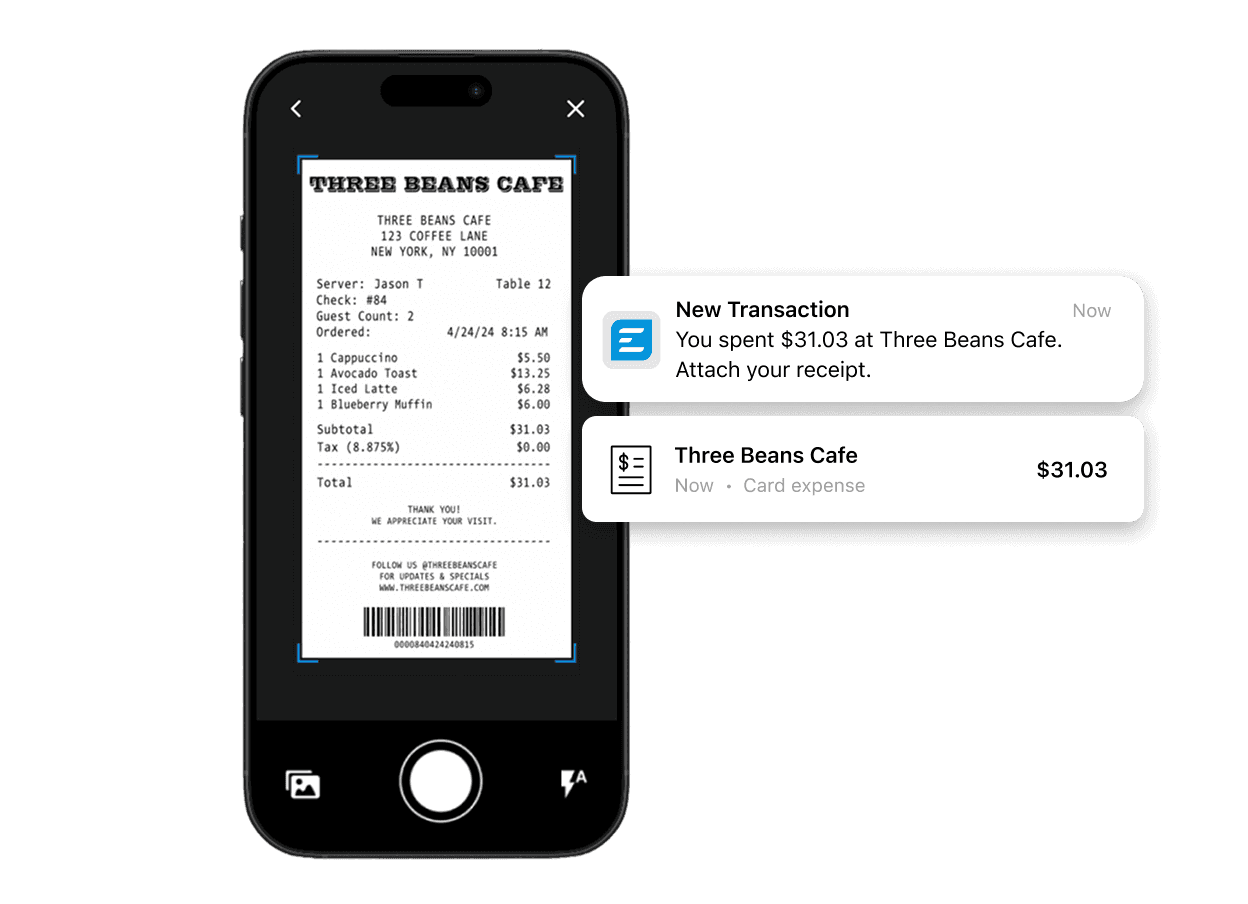
Capture the receipt. Let Emburse AI handle the details.
Let Emburse AI extract the data, match the transaction, and keep every receipt organized.
Frequently asked questions
Emburse Spend supports JPG, PNG, and PDF receipt files. Receipt images can be uploaded via the Desktop app, captured through the iOS or Android app or forwarded by email.
Emburse AI can extract available receipt details such as the merchant name, transaction date, and amount. Employees can review the populated information and complete any additional fields required by company policy.
Yes. Emburse Spend uses receipt and transaction data to identify potential matches and attach receipts to corresponding corporate card transactions when a match is available.
Yes. Administrators can configure expense policies that flag missing documentation or block submission when a required receipt has not been attached.